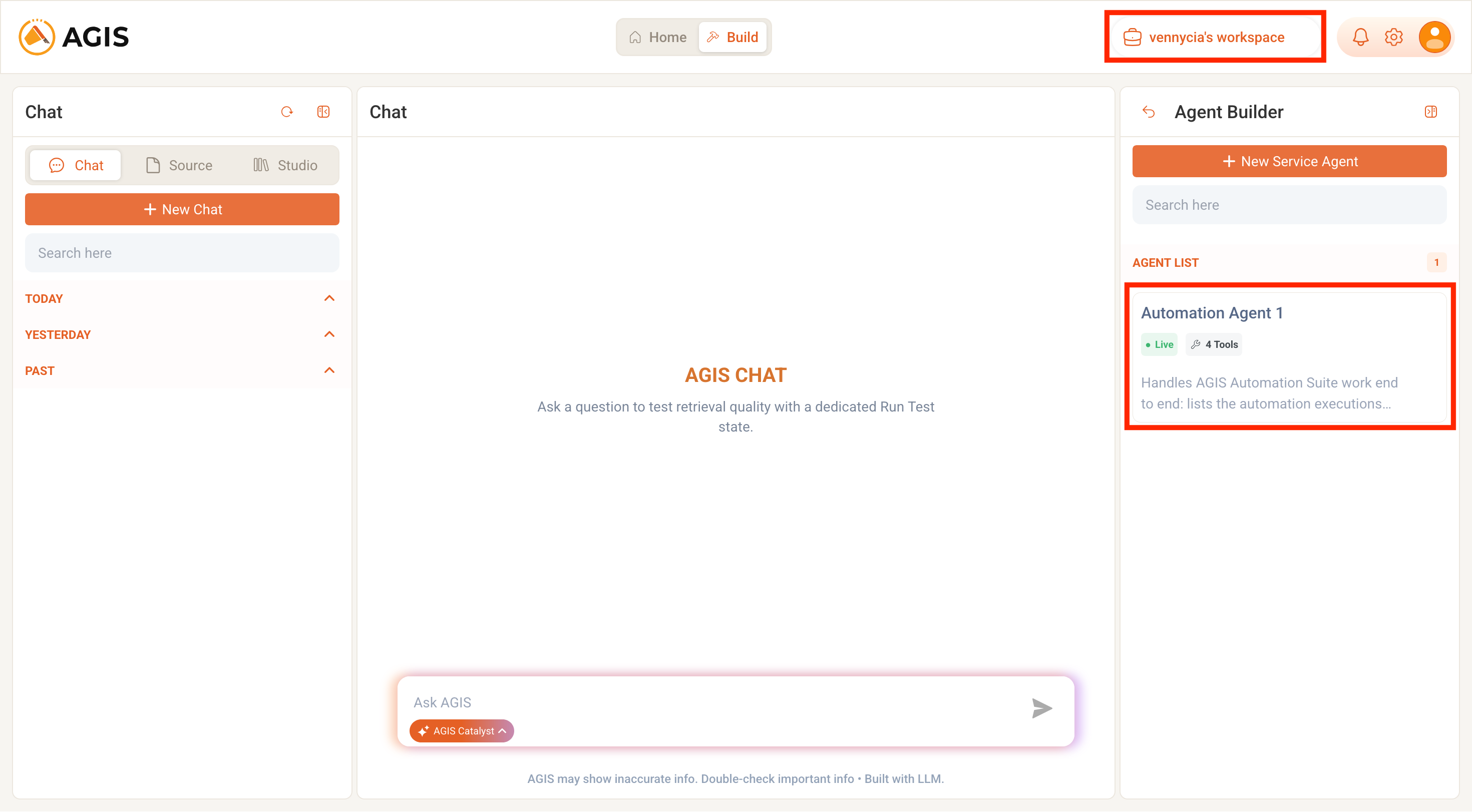
Export Agent to Workspace
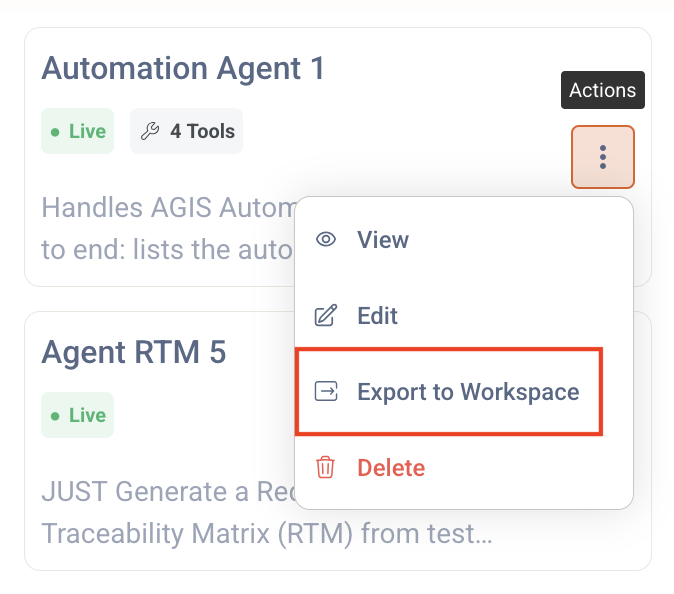
To export an agent to a different workspace, hover over the agent you want and click the three dots icon to open more options. A submenu will appear — click Export to Workspace to start the export process.
After clicking Export to Workspace, a modal will appear where you can select the workspace you want to export the agent to.
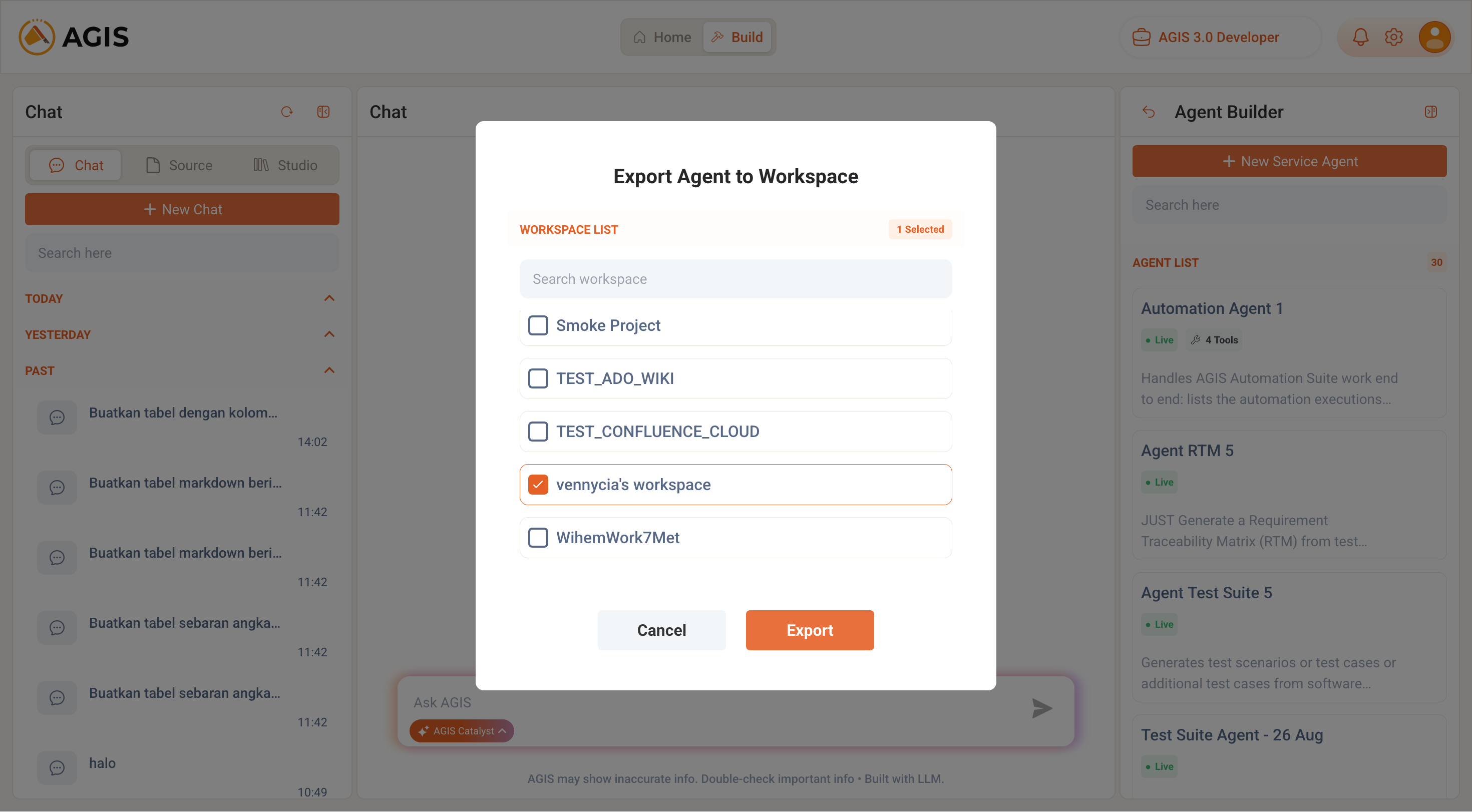
Once you've selected the workspace, click Export to complete the process. The agent will now be available in the workspace you selected.